


The 10 best AI clippers to turn long videos into shorts in 2026 (Compared)
Compare the top AI clip makers in 2026 and see how tools like Restream Clips turn long videos into ready-to-publish shorts in minutes.
Short-form video continues to drive discovery across platforms like TikTok, YouTube Shorts, and Instagram Reels. If you are not using an AI clip maker, you are choosing to spend hours doing work that can be done in minutes. Turning long recordings into clips quickly is where most creators stall, and the editing workload quietly kills momentum.
Reviewing a two-hour stream or webinar to find strong moments is slow and repetitive. AI clip makers automate that process. They use speech recognition, engagement pattern detection, and computer vision to identify highlight segments, generate captions, and prepare clips for publishing.
In this guide, you will find the best AI clip makers in 2026 and see which one fits your workflow, content type, and publishing goals.
1. Restream Clips
Best for: Creators, brands, and enterprise teams that want a seamless Live-to-Short workflow built directly into their streaming process.
If you already stream live, the most efficient clipping solution is one that lives inside your streaming dashboard. Restream Clips is natively integrated into Restream Studio and the Restream dashboard, so there is no need to download large video files or upload them to a separate platform.
Clips can be generated while the stream is still happening or immediately after it ends. The system analyzes the recording in the cloud and surfaces ready-to-review highlights.
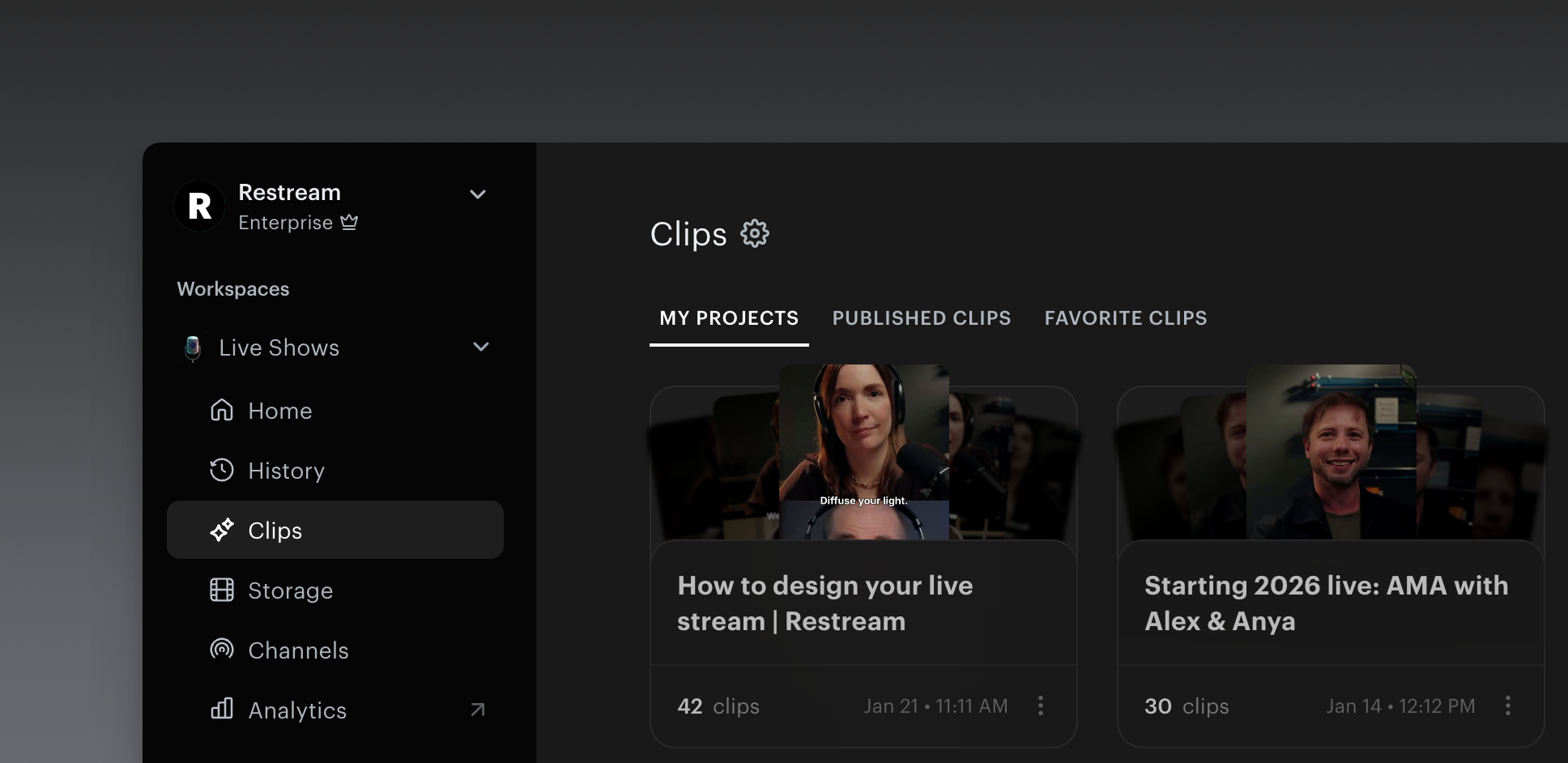
Key features:
- Smart Highlights – Detects speaker changes and engagement peaks to surface strong moments automatically.
- Live-to-Short pipeline – Create clips during or after streams, webinars, podcasts, and live events without moving files between tools.
- Automatic captions and translations – Generate subtitles and translate into 90+ languages.
- Multi-platform sharing – Publish to platforms like TikTok, YouTube Shorts, X, and LinkedIn.
- Full HD export – Maintain high-resolution quality across vertical, horizontal, and square formats.
The primary advantage is workflow efficiency. If your content starts live, your clips can be ready minutes after broadcast.
2. OpusClip
Best for: Individual creators looking for data-backed clip selection to maximize social media reach.
OpusClip focuses on scoring and ranking content. Instead of only cutting highlights, it assigns a virality score to each suggested clip.
Key features:
- Virality scoring – Ranks clips based on predicted engagement potential.
- Face-centered reframing – Keeps speakers centered in vertical layouts.
- Animated captions and AI-powered layouts – Adds stylized subtitles and automatically reframes for different aspect ratios.
3. Klap
Best for: High-volume teams repurposing massive YouTube libraries.
Klap is designed for processing long-form YouTube videos into multiple short clips quickly. If your strategy centers around repurposing an existing YouTube backlog, Klap is optimized for speed at scale.
Key features:
- "Juice" detection – Identifies high-energy or emotionally engaging segments.
- YouTube-to-TikTok optimization – Converts horizontal videos into vertical Shorts.
- Developer API – Supports custom bulk automation workflows.=
4. Munch
Best for: Brands and social media managers aligning clips with trending topics and search behavior.
Munch focuses heavily on the marketing side of clipping. It's about matching that video to current trends. It suits teams that prioritize discoverability and search positioning.
Key features:
- Marketing analytics – Connects clips to trending keywords and platform search data.
- SEO-driven captions and descriptions – Generates descriptions aligned with platform search behavior.
5. Vizard.ai
Best for: B2B teams converting webinars and presentations into educational short-form content.
B2B content is often dry, but Vizard tries to make it snackable. It is tailored specifically for webinar recordings and Zoom calls where multiple speakers are presenting.
Key features:
- Multi-speaker detection – Identifies and frames different presenters correctly.
- Automatic chapter segmentation – Breaks long sessions into logical sections.
6. Descript
Best for: Creators who prefer transcript-based editing instead of timeline editing.
Descript treats video editing like working in a document. It works well for podcasters and educators who want granular control over spoken content. Instead of editing a timeline, you edit the transcript.
Key features:
- Text-based editing – Deleting text removes the corresponding video segment.
- Studio Sound – Enhances audio clarity and reduces background noise.
- AI assistant (Underlord) – Suggests summaries and clip ideas.
7. Riverside Magic Clips
Best for: Remote podcasters prioritizing high-quality source recordings.
Riverside is primarily a recording platform, with clipping built on top of locally recorded files. For audio- and video-quality-focused creators, this approach can be appealing.
Key features:
- Local recording processing – Clips are generated from source-quality files rather than compressed streams.
- Spotify integration – Publish directly to Spotify for Podcasters.
- One-click clip generation – Automatically creates clips for different platforms.
8. Quso
Best for: Social media managers who want clipping and scheduling in one dashboard.
Quso combines automated clipping with content planning tools. It suits teams managing ongoing posting schedules.
Key features:
- Intelliclips – AI-powered highlight detection.
- Content planner – Plan and schedule posts visually.
- Cross-platform publishing – Manage multiple accounts from one interface.
9. VEED.io
Best for: Marketing teams producing polished short-form ads and localized content.
VEED.io AI editing tools that polish short videos quickly. It is often used for paid campaigns and branded content.
Key features:
- Instant subtitles – Fast and accurate captioning.
- Eye contact correction – Adjusts gaze direction in post-production.
- Translation tools – Localize content for international audiences.
10. InVideo AI
Best for: Faceless channels and creators who need to generate visuals from scratch.
InVideo AI combines clipping with generative video capabilities. It is useful when your content requires supplemental visuals rather than direct stream excerpts.
Key features:
- Prompt-to-video generation – Creates scripts, B-roll, and voiceovers from text.
- AI-assisted trimming – Identifies concise segments within longer footage.
Video clipping tools quick comparison table
How to choose the right AI clip maker
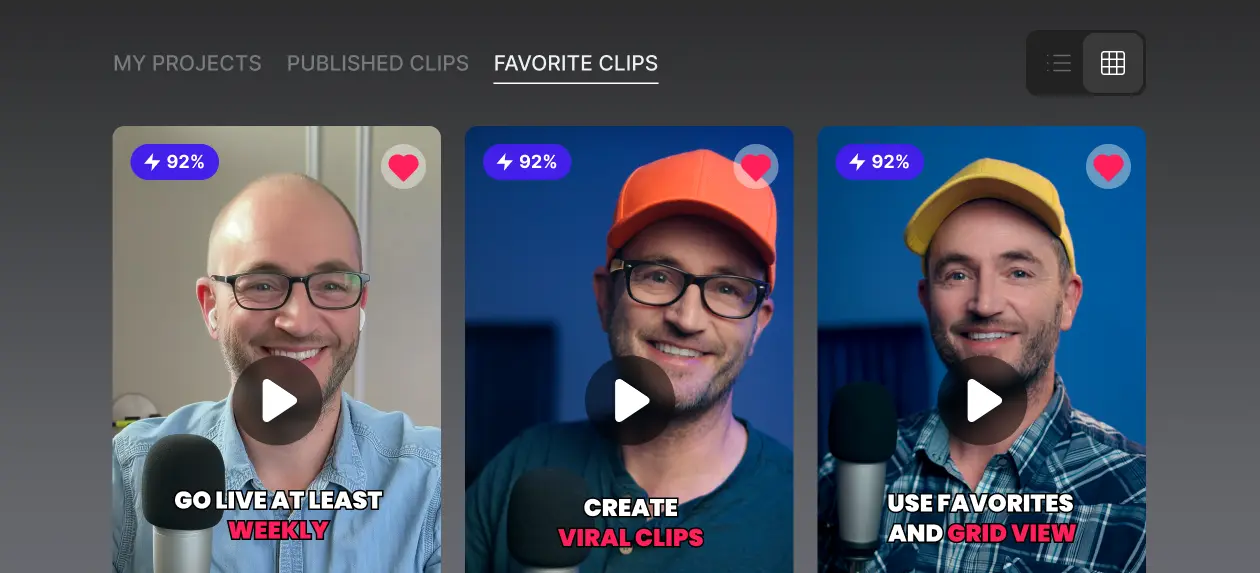
Start with your production process. The right AI clipper should fit into how you already create, record, and publish content, not force you to rebuild your workflow from scratch.
- If you stream multiple times per week and want clips ready immediately after broadcast, an integrated Live-to-Short solution will save time.
- If you maintain a large YouTube archive and plan to batch-process older videos, bulk-focused clipping tools may be more suitable.
- If your content relies on structured webinars or presentations, prioritize multi-speaker detection and segmentation.
- If discoverability and keyword alignment are critical, look for AI clip makers that incorporate trend and search data.
Final thoughts
AI clip makers remove one of the biggest bottlenecks in modern content workflows. The right tool should reduce editing time, simplify publishing, and fit naturally into how you already produce content. If your strategy starts with live video, an integrated Live-to-Short pipeline can make repurposing consistent and repeatable.
Restream Clips is built for that workflow. You can generate smart highlights during or immediately after a stream, add captions automatically, export in Full HD, and publish to platforms like X, LinkedIn, and TikTok without downloading or re-uploading files.
Try Restream Clips and see how quickly you can turn each stream into ready-to-publish vertical content.
On this page