Multistreaming
Be seen, everywhere
Bring your live show to the channels your audience already follows. Restream’s multistreaming software lets you broadcast to multiple platforms at once, from your browser or an encoder such as OBS.




 0
0
Destinations
30+ platforms
Users
10 million
Views captured
60 billion
Unfair advantage
Stream to multiple platforms at once
One live show can reach more than one audience. Share a gaming session, interview or product launch on all your channels at once, so viewers can join where they already watch.
- Studio or OBS
- Restream
- Your channels
One broadcast, many channels
Send one stream to Restream — from Studio or your encoder — and we deliver it to every channel you choose. That’s why creators also call Restream simulcast software.
30+ supported destinations
Go live on YouTube, Twitch, Facebook, LinkedIn, Kick, TikTok and more.
Explore supported destinationsMultiple channels of a single platform.
Stream simultaneously to various channels on the same platform, such as your Facebook profile, pages, and relevant groups.
Channels of partners and friends
Allow your friends and partners to restream your live broadcasts on their social channels, tapping into their audiences while ensuring a secure and seamless experience.
Your website or custom destinations.
Stream to your own website to own your content, escape social algorithms and land viewers where they can sign up or buy.





Integrations
Multistream with OBS or your browser
Keep producing in OBS
Keep your scenes and audio in OBS. Connect your Restream account or paste your stream key, and go live everywhere.
Connect OBS to RestreamCreate your show in Restream Studio
Bring your camera, microphone and guests into one show in your browser. Add graphics and presentations, pick your destinations and go live — nothing to install.
Explore Restream StudioUsing another streaming app?
Restream also works with other streaming tools, including Streamlabs, vMix, Ecamm Live and XSplit.
Browse all integrationsSetup
How to start multistreaming
Connect your channels. Add the accounts you want to stream to.
Choose your setup. Create your broadcast in Studio or connect OBS or another supported encoder.
Check and go live. Enable your channels, check your audio and video, and start your broadcast.
Free plan
Start multistreaming for free
Stream to two channels at the same time on the free plan, from Studio or OBS.
Upgrade to stream to more channels, remove Restream branding and add Facebook Pages, Groups or custom RTMP.
Have control
Manage your multistream in one place
Stay attuned to your content's pulse – before, during, and after the event. Ensure your stream runs seamlessly every step of the way.
Follow the conversation
See and reply to comments from your channels in one place with Restream Chat.
Learn about Restream ChatReview your stream’s performance
Track viewers, engagement and stream quality across your channels with Restream Analytics.
Explore stream AnalyticsPlan your next broadcast
Schedule your stream with Restream Events and announce it on YouTube, Facebook and LinkedIn in advance.
Learn about EventsTeams
Invite teammates to help you prepare, co-create and post-produce your content.
Fall-back protection
Run a backup stream to auto-replace your main one if something goes wrong.
Use cases
Creators love Restream
10M+ creators from individual gamers to famous politicians like Joe Biden chose Restream to share their stories with audiences through live video. Join them.

Sports
Philadelphia Eagles (NFL) live-stream press conferences with athletes.
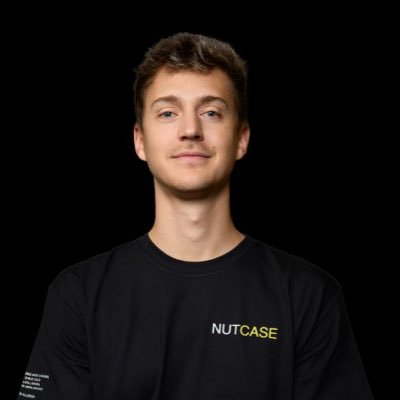
Video Games
Ninja simulcasts the most watched gaming content worldwide (reaching fans everywhere).

Music
Mike Shinoda (Linkin Park) is incorporating freestyle drums into their work.

Politics
Davos World Economic Forum live streams panels and press conferences with leaders from 60 countries.

Entertainment
Jason Momoa and SNL stream Jason’s live monologue to fans across social media.

Tech Companies
Apple Music multistreams an interview and live teaser with Super Bowl halftime performer Usher.

Podcasting
Tony Robbins streams his live podcast on YouTube and members-only events on his private pages.

Business
Cisco streams their annual keynote conference in Melbourne to 10x the number of attendees.

See what people are saying
Friends in the community
Love multicasting live safaris from Kenya with Restream for its simplicity, ease of use, and wide help options.

Nischit Solanky
Live Safaris from Kenya Simulcast
Restream is perfect for our needs: affordable and easy to set up, with useful statistics and OBS chat integration, streamlining our workflow.

Dennis Q Miller
I am a new user and this product is excellent! It's very easy to set up and use on multiple platforms.

Dr. Renata Hannah, Ph.D.
Restream is like a home TV studio, letting me broadcast on 8 channels to spread my message. Use Restream to save time and be everwhere at once!

Arttemis Keszainn
Easy to use, with viewer chat overlays ensuring no missed comments. Highly recommend for live podcasts.

Jeremy Ballreich
I use Restream daily for large Zoom calls and streaming videos to multiple channels at once. Easy to use and very powerful

Bill Gross
Big fan of Restream for daily live podcast and recording product reviews in the studio. It's super easy and makes videos look professional.

Christoph Trappe
Best way to multistream, I do DJ sets to YouTube, Twitch, Facebook and more

Lee O'Connor
Restream offers robust multi-streaming capabilities and a user-friendly interface with broad channel support. A preferred choice for those prioritizing seamless streaming.

Ashfaque Y

FAQ
Multistreaming questions, answered
Is multistreaming the same as simulcasting?
For online live video, yes: both mean sending the same broadcast to several channels at once. That’s exactly what Restream does.
Can I stream to Twitch and YouTube at the same time?
Yes. Connect both channels to Restream and enable them for your broadcast.
See the Twitch and YouTube setup guideDoes multistreaming need more upload bandwidth?
No. You send one stream to Restream and we deliver it to every channel, so you only need upload bandwidth for a single stream. For Studio we recommend at least 10 Mbps upload, or 25 Mbps+ for Full HD.
Check the recommended setupCan I multistream in 1080p or 4K?
Studio streams up to 1080p on Professional and higher plans. With an encoder such as OBS, you can send 4K through Restream to destinations that support it.
Read about 4K streamingBring your next live show to more channels
Choose your destinations, set up your broadcast and give your audience more places to watch.