Restream Studio: your live streaming studio
Produce beautiful interviews
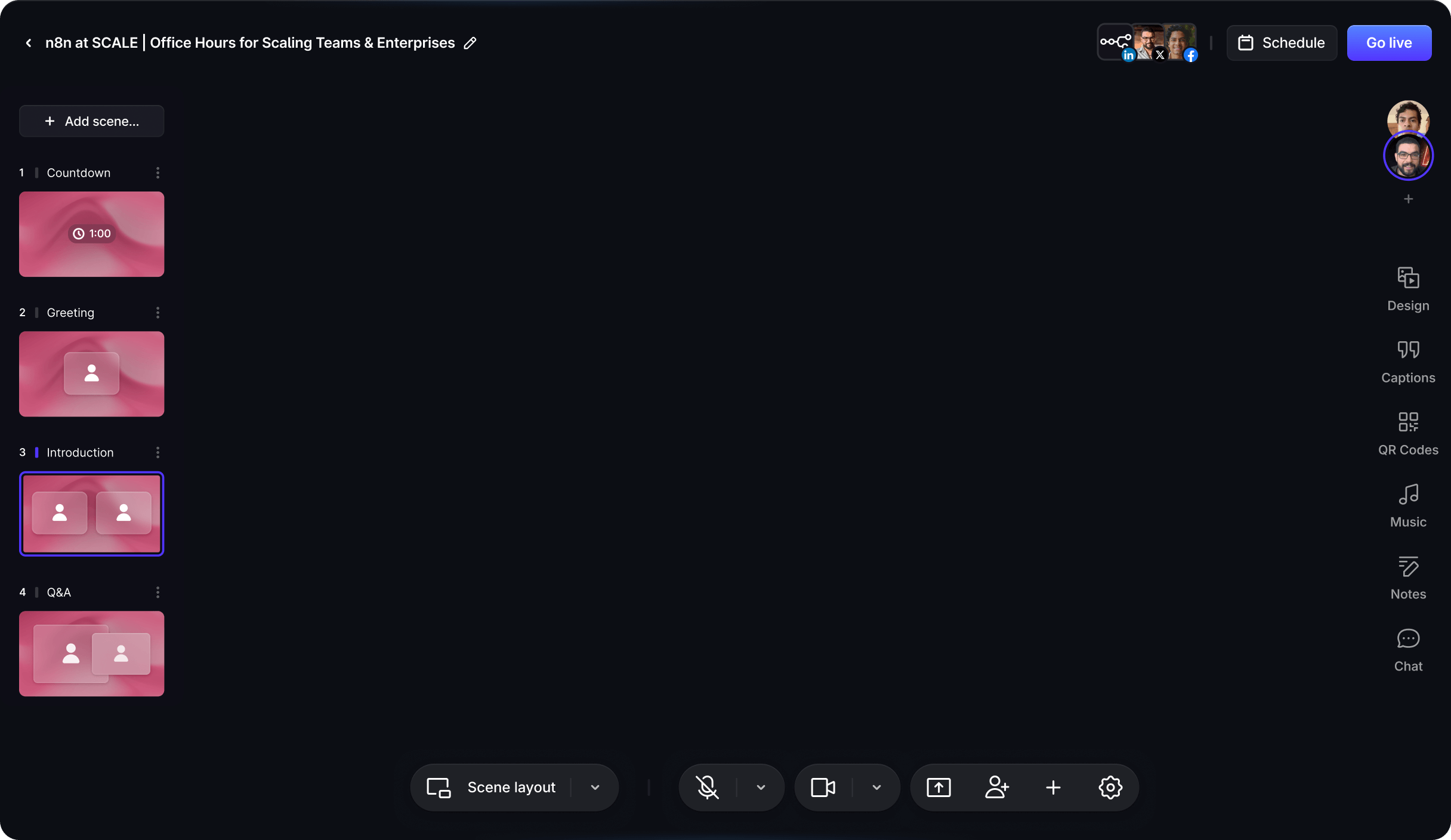

A live streaming studio that runs in your browser
Restream Studio is a web-based live streaming studio for creators and teams. Open it in your browser and your camera, microphone and screen are ready to use. There is no software to install and no encoder to configure, on Windows, macOS or Linux.
A show starts with a link instead of an installation, so hosts and guests in different cities appear in one polished broadcast. Studio is the production room of the Restream live streaming platform, so your shows, channels and chat stay in one account.
How to live stream from your browser
- 1Create a Studio streamSign up for free, click New Stream and choose Studio.
- 2Set up your scenePick a layout, turn on your camera, share your screen or slides and invite guests.
- 3Go live or recordClick Go Live to broadcast to YouTube, LinkedIn, Twitch and more. On paid plans you can choose Record only instead.
Studio can send the same show to several channels at once through Restream multistreaming, so you do not need a second tool.
Invite guests to your online streaming studio
Send a guest link and your speaker joins from their browser without creating an account. The Free plan fits up to 6 people on screen, and paid plans fit up to 10.
Keep guests backstage until their segment, bring them on screen with a click, share a presentation and show viewer comments from the live chat. On Professional plans and higher, co-producers can run the show with you.
Make every show look like your brand
Start from a ready-made layout, then add your logo, backgrounds, overlays and on-screen graphics. Paid plans remove the Restream watermark, and Professional plans and higher can stream a horizontal and a vertical version of the same show at once, for desktop viewers and mobile feeds alike.
Record professional video, live or on its own
Studio records while you stream: paid plans save a cloud recording of every live show. Paid plans also include Record only mode for podcasts, lessons or interviews you want to edit first.
Local recordings, currently in beta, capture each participant on their own device in up to 4K, with separate video and audio tracks that line up automatically in Premiere Pro, Final Cut Pro or DaVinci Resolve. They are available on Professional plans and higher.
After the show, Restream Clips can turn a long recording into short vertical clips for social media.
Webcasting software that runs in your browser
Studio also handles company webcasts: all-hands meetings, virtual town halls, investor updates and online events. Build scenes in advance from cameras, screen shares, slides, images and video files, then switch between them during the broadcast. Schedule the event ahead of time, keep speakers backstage until their segment, and record it while it streams.
Already produce with hardware? Restream also accepts a feed from an encoder such as OBS, and on Business plans and higher Studio can add an RTMP source, so a camera switcher or production PC can join your browser scenes.
For events that should not be public, the Restream Webinars add-on hosts private webinars and can stream to Slack.
What you can make with Restream Studio
Interviews
Bring a remote guest on screen with a single link.
Podcasts
Record every voice on its own track for clean editing.
Webinars
Present slides and answer questions from the live chat.
Product demos
Share your screen and switch layouts as you walk through features.
Company updates
Give a distributed team a branded broadcast anyone can host.
Launches
Announce something new where your audience already follows you.
Frequently asked questions
Do I need to download software to use Restream Studio?
No. Restream Studio runs in your web browser on Windows, macOS and Linux, and Chrome is recommended. Guests join from an invite link without installing anything.
Is Restream Studio free?
Yes. The Free plan streams in 720p with up to 6 people on screen and a Restream watermark. Paid plans add custom graphics and recordings, and Professional adds Full HD 1080p. Compare plans on the Restream pricing page.
Can I record without going live?
Yes, on any paid plan. Open the menu next to Go Live and choose Record only. Studio captures the session without broadcasting it.
How many guests can join a Studio stream?
On paid plans you and up to 9 guests can appear on screen, and on the Free plan you and up to 5 guests. Guests do not need a Restream account.